AI Travel Itinerary Planner

Your perfect trip. Planned day by day.

Plan with Mara, map your stops, and see how long it takes to get between them. Get started for free!

Los Angeles

Three days in LA in February. We like food, views and a bit of a walk.

Three Days from one hotel in Culver City: the coast first, then Mid-City and the hills, then Downtown.

Writing your itinerary...Wrote your itinerary
Day 1 · The west sidePlanned
  1. 17 min · 12 km· Drive
    Santa Monica Pier8:30 AM · 1 h 30 min
  2. 14 min · 4.6 km· Drive
    Venice Boardwalk45 min
  3. 28 min · 18 km· Taxi
    Lunch at the Getty Center12:30 PM · 1 h 30 min
  4. 26 min · 18 km· Drive
    Baldwin Hills Scenic Overlook1 h
Day 2 · Mid-City to the hillsPlanned
  1. 19 min · 6.8 km· Drive
    LACMA2 h
  2. 17 min · 6.4 km· Drive
    Hollywood Walk of Fame1 h
  3. 21 min · 8.2 km· Drive
    Griffith Observatory2 h
Day 3 · DowntownPlanned
  1. 21 min · 18 km· Drive
    Walt Disney Concert Hall1 h
  2. 12 min · 7.9 km· Drive
    LA Memorial Coliseum2 h
  3. 18 min · 11 km· Drive
    Dodger Stadium3 h
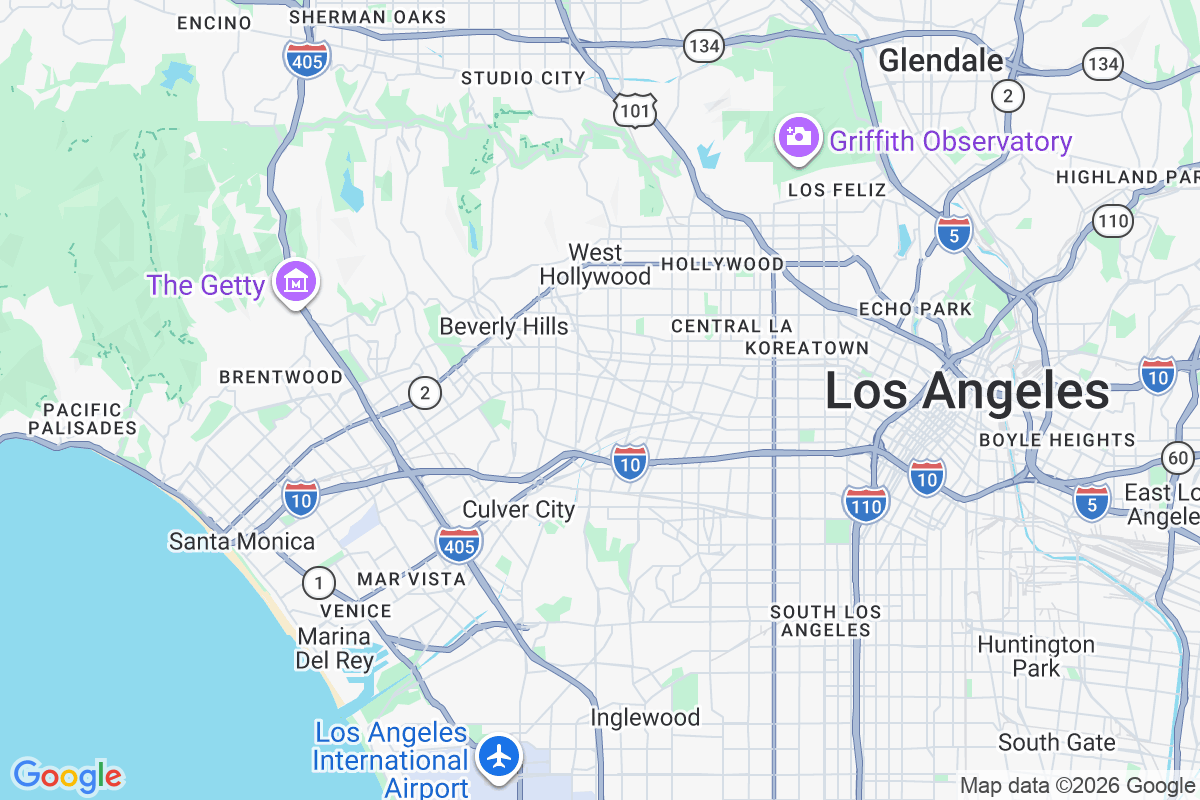
Map of Los Angeles, from Santa Monica and Venice east through Hollywood to Downtown
Day 1Day 2Day 3· Downtown

Tell Mara what you love and what you already have planned. She'll build an itinerary around you, map the route, and show travel times between stops, so you can see how each day comes together.

Travel Route Optimization

See more. Double back less.

Mara puts your stops in a smarter order, with your reservations kept in place. In this Tokyo example, the same 15 stops take about four hours of walking instead of eight.

Before optimizing

~8 h 46 min walking
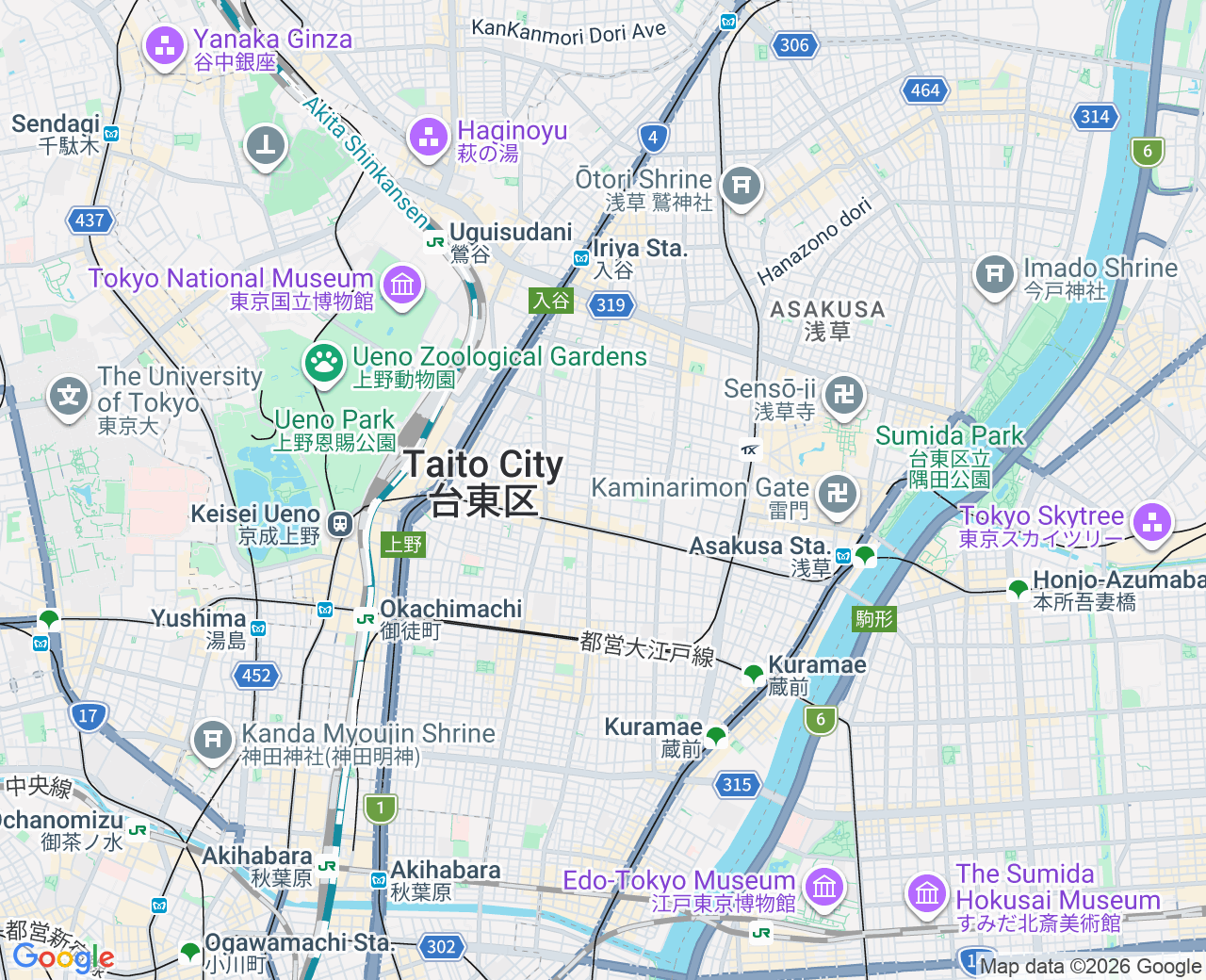
Map of east Tokyo with the day walked in the order it was typed, crossing back over itself between Asakusa, Ueno and Akihabara
  1. 1Senso-ji Temple09:30
  2. 2Tokyo Skytree
  3. 3Tokyo National Museum15:00
  4. 4Akihabara Electric Town
  5. 5Lunch at Kappabashi12:30
  6. 6Yanaka Ginza
  7. 7Ameyoko Market
  8. 8Nezu Shrine
  9. 9Ryogoku Kokugikan
  10. 10Kanda Myojin
  11. 11Shinobazu Pond
  12. 12Yushima Tenmangu
  13. 13Sumida Park
  14. 14Kuramae riverside
  15. 15Asakusa Yokocho

After optimizing

~4 h 23 min walking
The same map of east Tokyo with the day walked in the order Mara settles on, one loop west to Yanaka and back along the river
  1. 1Senso-ji Temple09:30
  2. 2Lunch at Kappabashi12:30
  3. 3Tokyo National Museum15:00
  4. 4Yanaka Ginza
  5. 5Nezu Shrine
  6. 6Shinobazu Pond
  7. 7Ameyoko Market
  8. 8Yushima Tenmangu
  9. 9Kanda Myojin
  10. 10Akihabara Electric Town
  11. 11Ryogoku Kokugikan
  12. 12Kuramae riverside
  13. 13Asakusa Yokocho
  14. 14Tokyo Skytree
  15. 15Sumida Park

Same stops. This much less walking.

4 h 25 min saved

Estimated time saved, with the route shortened from 30.3 km to 15.13 km.

12 stops reordered · Lunch at Kappabashi stays at 12:30 PM
AI Itinerary Chat

Changed your mind? Just say so.

Ask for a lighter day, a different stop or a whole new order. Mara rewrites the day, keeps the times you have already booked, and one Undo puts it back.

Chat with Mara
We land at 9:40 and Day 1 is already too much. Move Montmartre to Saturday and find us dinner near the hotel.

Done. Sacré-Cœur is off Day 1 and on Saturday instead. Dinner near the hotel is in as a note for now, I could not place it on the map yet.

Paris · itinerary

Suggestions from Mara.

Day 1 · Fri 10 Apr · Landing on the right bankRework day 1
Land at CDG09:40
Lunch at Le Train Bleu12:30
Sacré-Cœur15:00
Dinner near the hotel19:45text only
Day 2 · Sat 11 Apr · The Left BankRework day 2
Musée d’Orsay09:30
Lunch at Le Bon Marché12:30
Musée Rodin
Sacré-Cœur15:00
Day 3 · Sun 12 Apr · The tower, then homeRework day 3
Eiffel Tower09:00
Lunch at Les Invalides13:00
Flight home18:15
7 placed on the map · 2 to confirm7 placed on the map · 2 to confirm · 1 text-only
Writing your itinerary…
Updated your itinerary
Ask Mara to change anything...
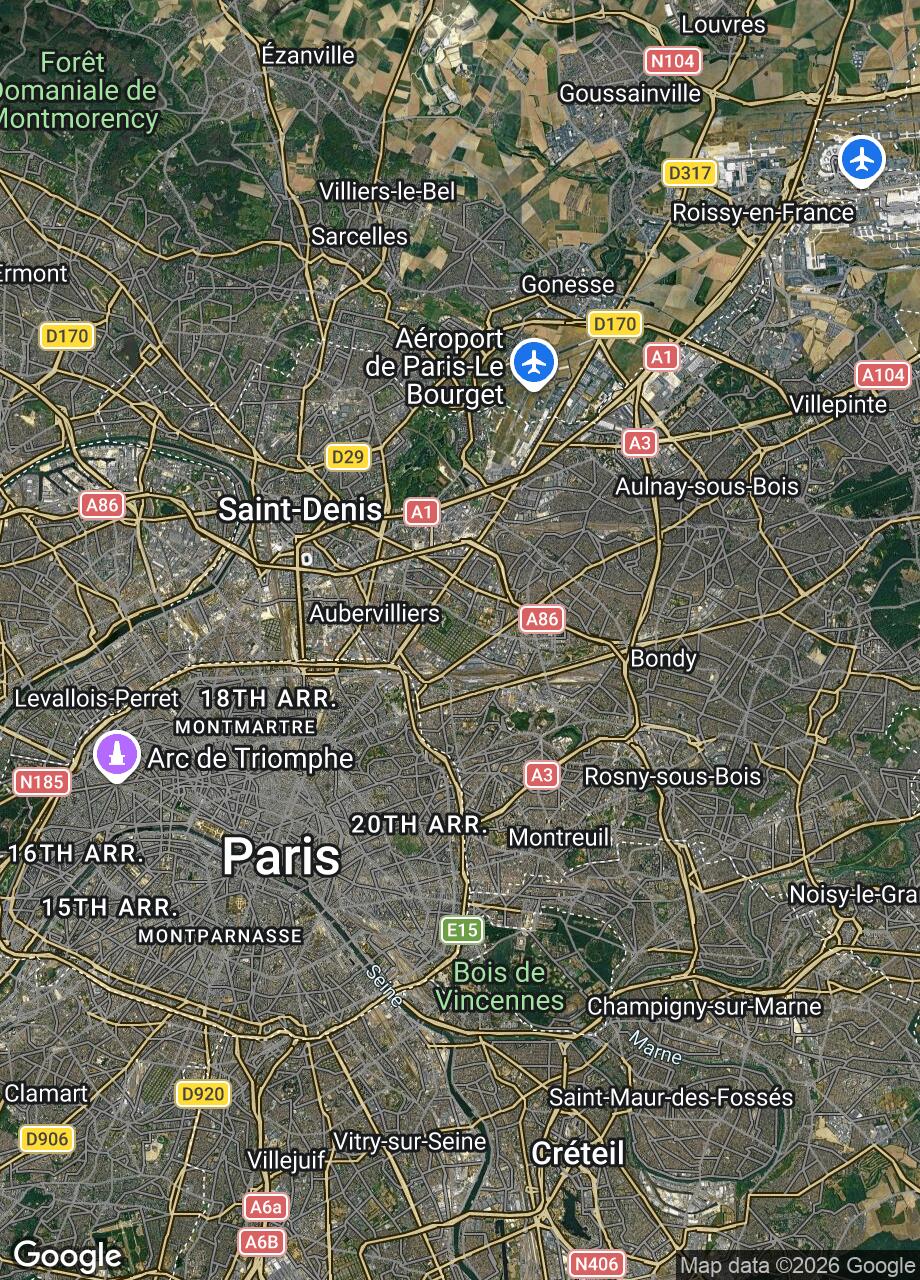
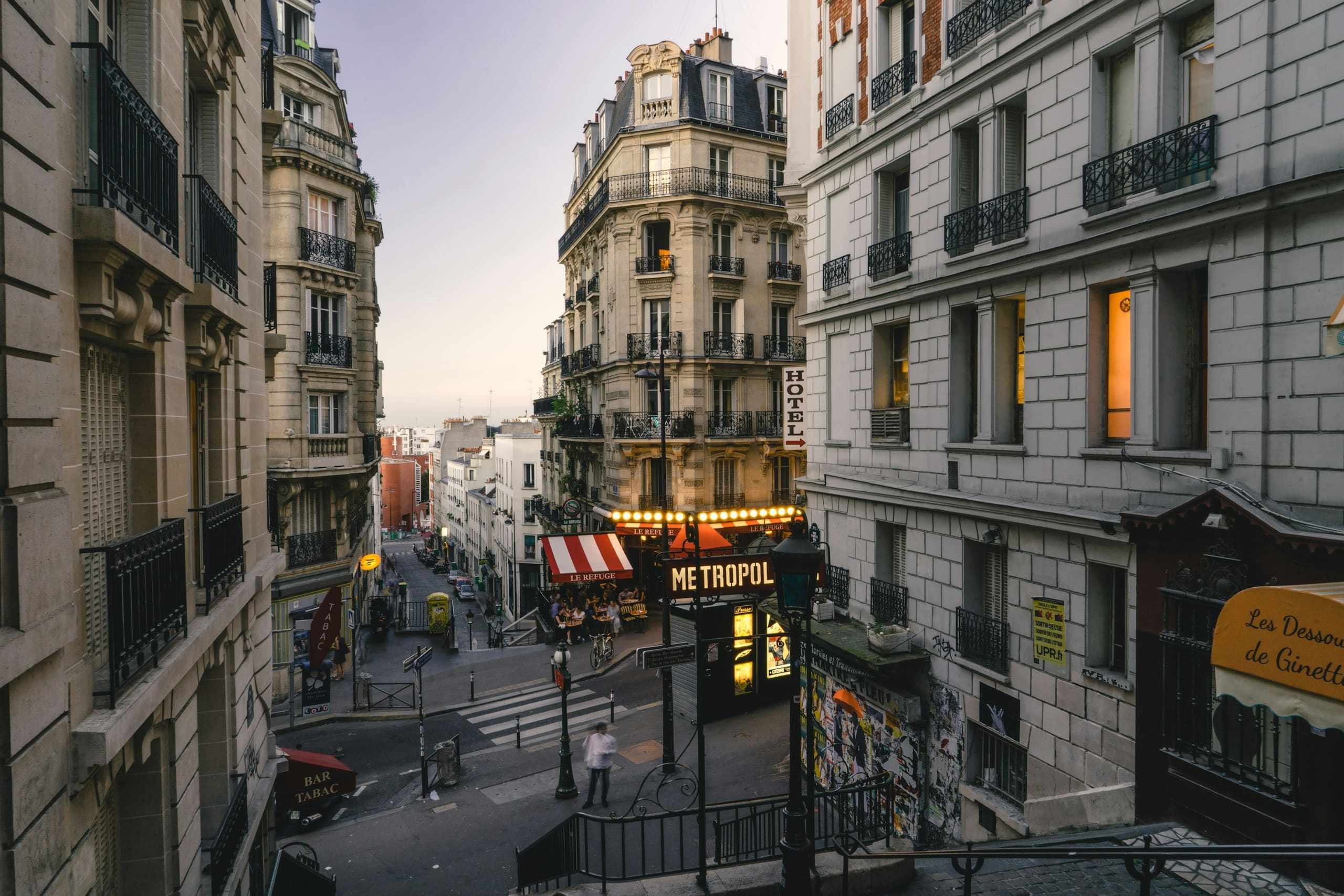
Satellite map of Paris and its airport, from Charles de Gaulle south west across the ring road into the city
Day 1Hotel in Le Marais
Places and Street View

See it before you get there.

Every Stop carries ratings, photos, opening hours and contact details beside its pin on the map. Street View is one tap from there.
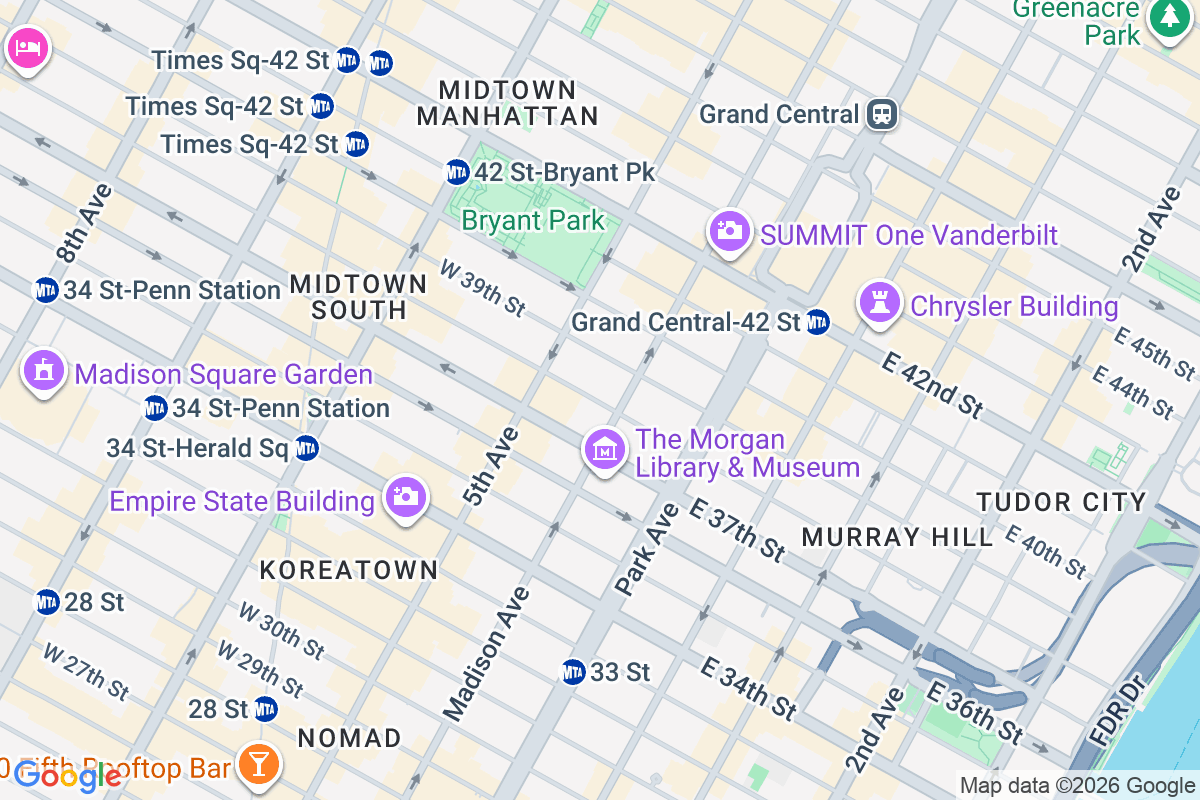
Map of Midtown Manhattan: Day 1's route from a hotel by Bryant Park to Grand Central Terminal and the Empire State Building
1
2
Day 1
Street View
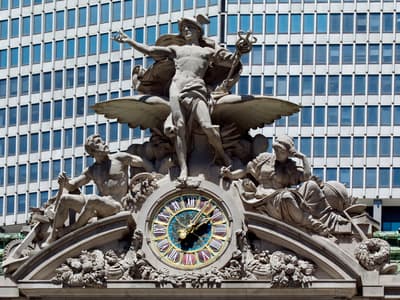
Grand Central TerminalDay 1 · 09:30 · 1 hPlaced
Details from Google

Grand Central Terminal

4.8(92,418)Train station · Landmark

89 E 42nd St, New York, NY 10017

Hours
  • Open daily · 5:15 to 02:00
  • Whispering gallery always open

grandcentralterminal.com

+1 212 340 2583

Keep your itinerary and budget together. Link your trip to a tracked package to watch the price as you plan. Once you're home, keep the trip as a stamp in your travel journal.

Good to know

A few things before you start planning

How do I turn my trip ideas into an itinerary?

Tell Mara where you’re going and what you’d like to do. She can build a day-by-day itinerary with your stops on a map. You can then add places, move stops between days and adjust the timing. Keep anything you haven’t decided on in Ideas until you find a spot for it.

How long will it take to get from one stop to the next?

Mara shows a travel-time estimate between stops so you can see how your day fits together. Initial estimates are marked with ~ and use the distance between places. When you request a route, Mara uses Google Maps for walking or driving times and distances.

Will optimizing my route change my reservations?

Your booked times stay put. Add a start time to anything fixed, like a lunch reservation or tour pickup, and Mara will work around it. Optimize reorders the flexible stops to reduce estimated travel without changing the start times or durations you’ve entered.

Is the itinerary planner free to use?

You can start planning with a free account. If you want to try Mara first, the chat demo works without signing up. The demo lets you talk through trip ideas; create an account to build your itinerary and see your stops on a map.

Can I share my itinerary with the people I’m travelling with?

Yes. Create a share link and send it to anyone travelling with you. They can open it in a browser without an account and view the days, stops and addresses. The link is view-only, and your private notes, costs, confirmation numbers, budget and tracked prices stay hidden.

Can I plan resort days as well as city trips?

Yes. Add your hotel or resort as a stay, then plan meals, activities and excursions around it. Choose how you’ll get between stops, including walking, driving, shuttles, taxis or golf carts. For paths across resort grounds that are missing from the map, use Straight there to connect the stops directly.