
In the first post on this blog, I said Journal was next and that I'd post here when it was ready. It's ready.
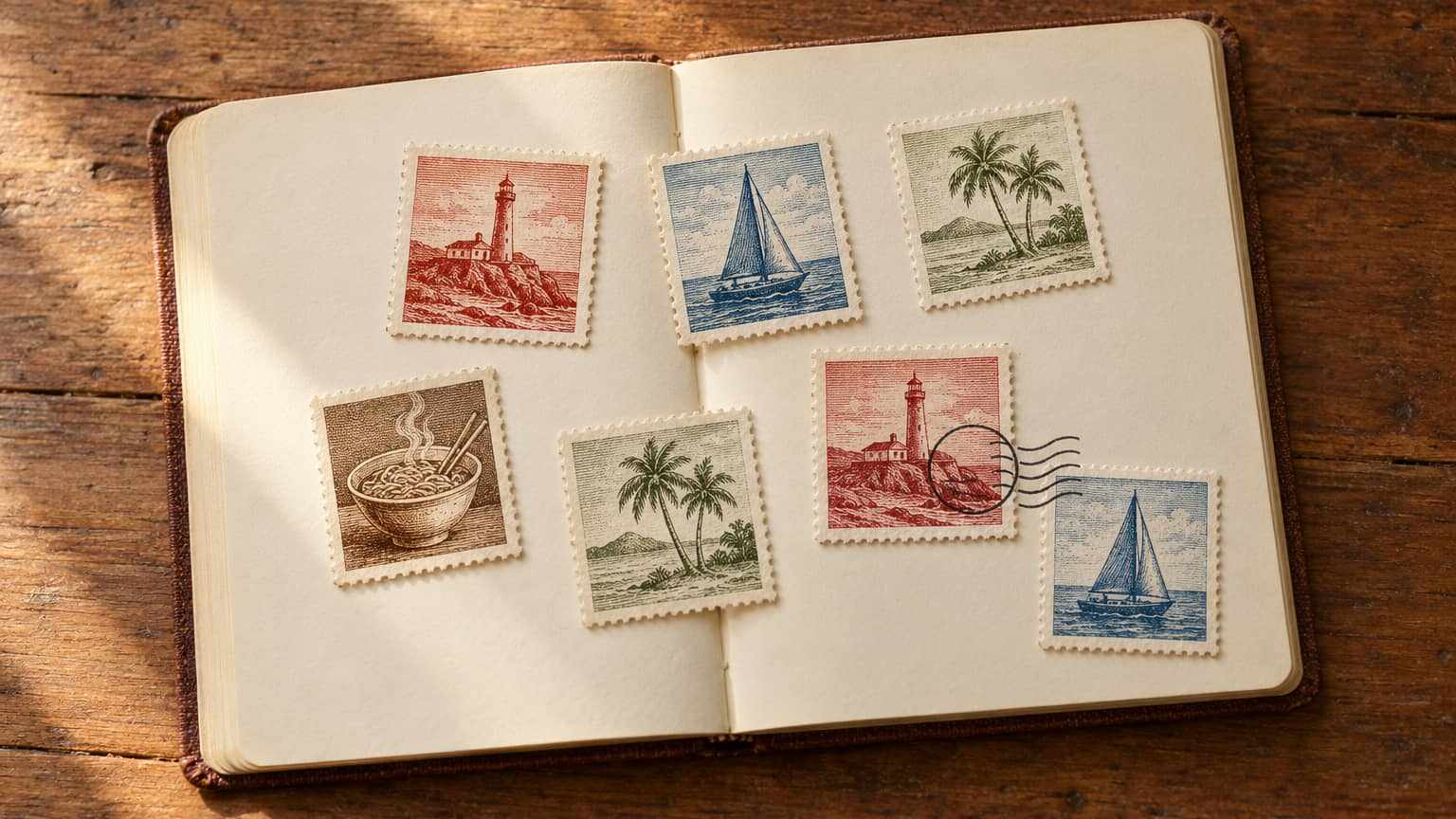
Journal is for the trips you've taken. Each one can become a Stamp: a little postage stamp with the place, the month and year, and an illustration of the thing you want to remember. Open the Stamp and the trip is inside: what you wrote about each Day, and the Photos that go with it.
What Journal is
Plan is where a trip lives before you go. Journal is where it lives once you've gone. It holds your Collection: every Stamp you've made, grouped by year, with the newest trip first.
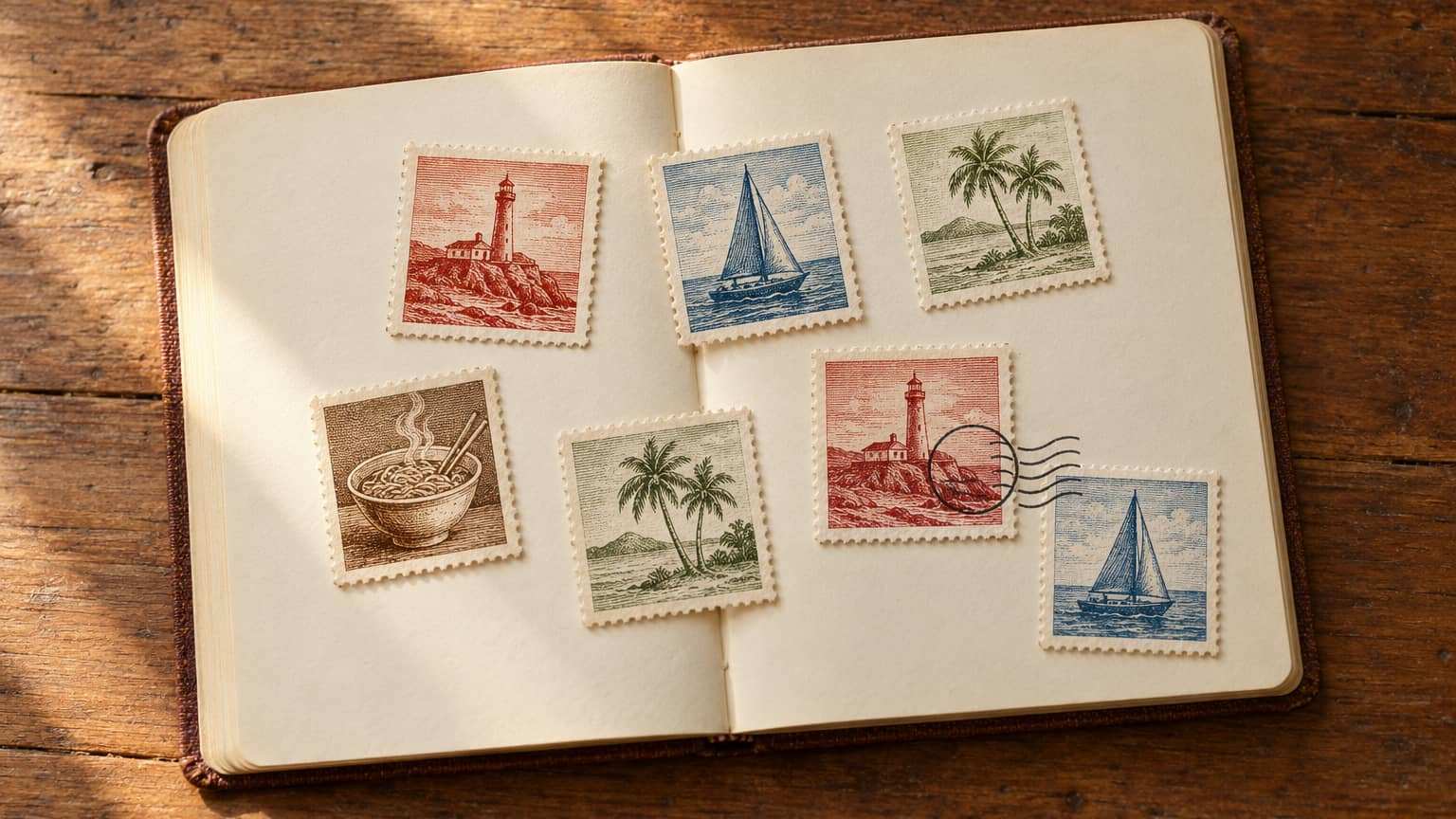
A Stamp is one trip, printed small. Across the top is the place. In the middle is an illustration of what you want to remember, like a bowl of ramen or a lighthouse. Along the bottom is the year, where a real stamp would show its price, with the month beside it. Add a Postmark and it looks like it came through the mail.
Each Stamp opens onto its own Stamp page, which is where the rest of the trip goes.
Making a Stamp
A Stamp takes four choices, and a live preview shows it as you make them.
- The trip. Pick one of your Trips that has started or ended. One that hasn't started yet opens up the day it does. You can also pick a trip that isn't in Mara: any place you've been, with exact dates, just the month and year, or no dates at all.
- The Memory. One line, in your own words, about the thing you want to keep. “The tiny ramen shop we found in Kyoto” is a good one.
- The illustration. Pick an illustration from Mara's house set. There are forty to start, from a lighthouse and a sailboat to a torii gate and a bowl of ramen, and the ones that suit your Memory and the place come first. Stamp illustrations are made with AI, and each one is marked that way in its file.
- The finish. Choose a Colorway: Postbox red, Ultramarine, Olive, Sepia or Graphite, each with its own frame. Change the line printed across the top as you like. A Postmark with the place and the date is optional.
Save it, and the Stamp joins your Collection.
The Stamp page
The Stamp page starts with the whole trip, for what belongs to no single Day: how it began, who came, what you'd tell a friend. Under it, each Day has room for what you write and the Photos that go with it. With exact dates, the Days are numbered for you, one for each day of the trip. Without them, you can add Days as you need them.
A Stamp made from one of your Trips borrows each Day's title from its Itinerary and shows you what you planned that day. That part is only ever for you. What you write saves as you go, so there's no button to forget.
Add Photos to a Day, or add a whole batch at once: each one lands on the Day it was taken, and the ones Mara can't place wait with the whole trip. You can move a Photo to another Day, give it a caption, or open it full screen.
Send it home
When you want to show someone, share the Stamp. They get a read-only page with the Stamp, what you wrote and your Photos, and nothing they can change. Days you left empty stay off it. It shows your first name and nothing else about your account, and never your Trip's plan or the exact time a Photo was taken.
You can revoke the link at any time. The page and its Photos stop working the moment you do, and sharing again makes a new link.
Where your Photos live
Your Photos are stored privately. You can see them, and so can anyone you send a share link to while it's live.
A photo straight off a phone carries a lot of extra detail, often including exactly where it was taken. Before Mara stores a Photo, she makes a fresh copy without any of that. The one thing she keeps is the time it was taken, so it lands on the right Day.
What Journal isn't
- It isn't a social feed. There are no followers, likes or public profiles. A Stamp stays private until you share it, and then only people with the link can see it.
- It isn't a backup. Mara keeps a copy of each Photo sized for the screen, not the original file, so keep your originals where they are.
- It isn't part of the chat. Ask Mara answers from your Trips and Trackers. Your Stamps, and what you write on them, stay out of her conversations.
Getting started
Journal is in the sidebar, after Plan, Track and Explore. Start with the last trip you took: make its Stamp, add a few Photos and watch the Days fill in.
It comes with every free account: up to 100 Stamps, with up to 60 Photos on each. Pro will raise those limits, and you can join the waitlist now.
Open your Journal, or create a free account to start one.
Quick answers
Is Journal free?
Can I make a Stamp for a trip I took before Mara?
Who can see my Photos?
What happens to a Stamp when I delete its Trip?
Thanks for reading. Now go make a Stamp for the last good trip you took.